


The Plugin Calls
The visible plugin calls on this page are manipulated to be displayed and NOT executed. If they are simply copied, they will not work.
If you copy these plugin calls, you must delete the first 2 opening curly brackets on your CMSimple page, and write them new to make it work.
Plugin- und Function Calls
Plugin calls are function calls. In order to later recognize whether a plugin function or another function is called, there are 2 forms possible:
{{{plugin:the_function(parameter);}}}
{{{function:the_function(parameter);}}}
Both calls produce the same result.
Plugin calls are usually placed on a blank line created with [enter]. The TinyMCE turns it into a paragraph.
Because block elements are not allowed to appear in a paragraph, but block elements are set in most plugin output, CMSimple (not TinyMCE) makes it a division (div) to avoid invalid html. This only happens if the plugin call is the only thing within the paragraph:
<p>{{{plugin:the_function(parameter);}}}</p>
will be converted to:
<div>{{{plugin:the_function(parameter);}}}</div>
Plugin call between text
If the plugin call is in the middle of a paragraph or text, TinyMCE does not create a paragraph and therefore CMSimple does not create a division (div) either.
Example: overlay link to the Legal Notice
Text before plugin call Legal Notice » text after plugin call
In the sourcecode view of TinyMCE:
<p>Text before plugin call {{{plugin:col_ovlFrame('20240202_0740','../../?Impressum&print','Legal Notice »','bright');}}} text after plugin call</p>
Leaving single plugin calls in the paragraph
It may well be that for some reason you want to leave the plugin call in a paragraph, i.e. the conversion <p> => <div> should be prevented. To do this, you can simply put a space before the plugin call:
If you are fussy and look closely, you will see the space in front of the link, because the TinyMCE sets a non-breaking space (nbsp). You can prevent this by using an invisible non-breaking space. You can find this in the TinyMCE toolbar, it's called "zwj":
In the sourcecode view of TinyMCE:
<p>‍{{{plugin:col_ovlFrame('20240202_0720','../../?Impressum&print','Legal Notice »','bright');}}}</p>
The execution of the plugin call is also prevented by zwj, between the 1st and 2nd curly brackets. This causes the plugin call to be displayed and NOT executed.


CMSimple News
The PHP security vulnerabilities
reported globally on 2026-10-21
have been solved.
PHP 8.5.12 is running here.
CMSimple is ready for php 8.5.12
System Requirements »
CMSimple 5.25 published
2026-09-26
Confirmation message for sent email forms is working again; minor changes in the admin area.
USBWebserver CMSimple
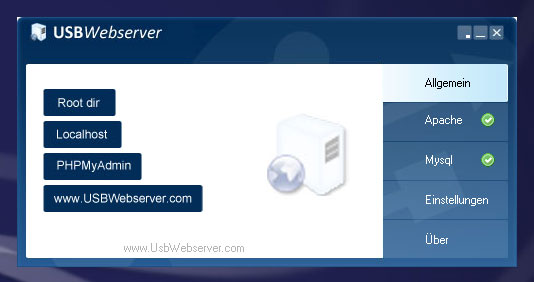
Test CMSimple easily, offline on your PC using USBWebserver.
CMSimple Basic
CMSimple Basic is similar in scope to CMSimple 3.4 from 2012, but features a more modern design and functionality.
- utf8 encoded
- fit for php 8.5
- 90 kByte Download
Templates
Responsive templates are suitable for all visual output devices, from smartphones up to HD screen.
Test the responsive templates of ge-webdesign.de:
Plugins
With plugins you can extend the functionality of CMSimple. There are Blogs, Comments, Photo Galleries, MultiMedia, MembersArea and much more.
Here you can find demos for most of the available plugins:
Sponsors Area
This is the place for banners and links to sponsors of CMSimple or any kind of advertising.
Become a CMSimple Sponsor »
You also can support CMSimple by donation:
